Logz.io MCP Server
The Logz.io Public API MCP (Model Context Protocol) server allows LLM clients (Claude, Cursor, ChatGPT, etc.) to access observability data - logs, metrics, dashboards, and alerts, and to run OrionIQ AI agents, in a standardized way. With MCP, AI agents can fetch context and trigger actions without custom integrations.
Prerequisites
- A Logz.io API token (create in your Logz.io account settings). The same token is used for logs, metrics, dashboards, and alerts. You don't need a separate metrics API token.
- A supported LLM client with MCP integration. Setup instructions vary per client.
Setup
The steps for adding the Logz.io MCP server depend on your client. Refer to each client's instructions on how to attach the Logz.io MCP server to your LLM.
Below is a generic example configuration:
{
  "logz.io public api": {
    "command": "npx",
    "args": [
      "mcp-remote",
      "https://api.logz.io/mcp",
      "--header",
      "X-API-TOKEN:<<YOUR-LOGZIO-API-TOKEN>>"
    ]
  }
}
Replace <<YOUR-LOGZIO-API-TOKEN>> with your actual token.
The domain prefix (api) is region-specific. Those are the regions available:
https://api.logz.io/mcp(US) us-east-1https://api-eu.logz.io/mcp(EU) eu-central-1https://api-uk.logz.io/mcp(UK) eu-west-2https://api-au.logz.io/mcp(AP) ap-southeast-2https://api-jp.logz.io/mcp(AP) ap-northeast-1https://api-ca.logz.io/mcp(CA) ca-central-1
After setup is complete, you can query your Logz.io data. Ask questions about your logs, metrics, dashboards, or alerts - the MCP server will expose the right tools so your client can fetch results in context.
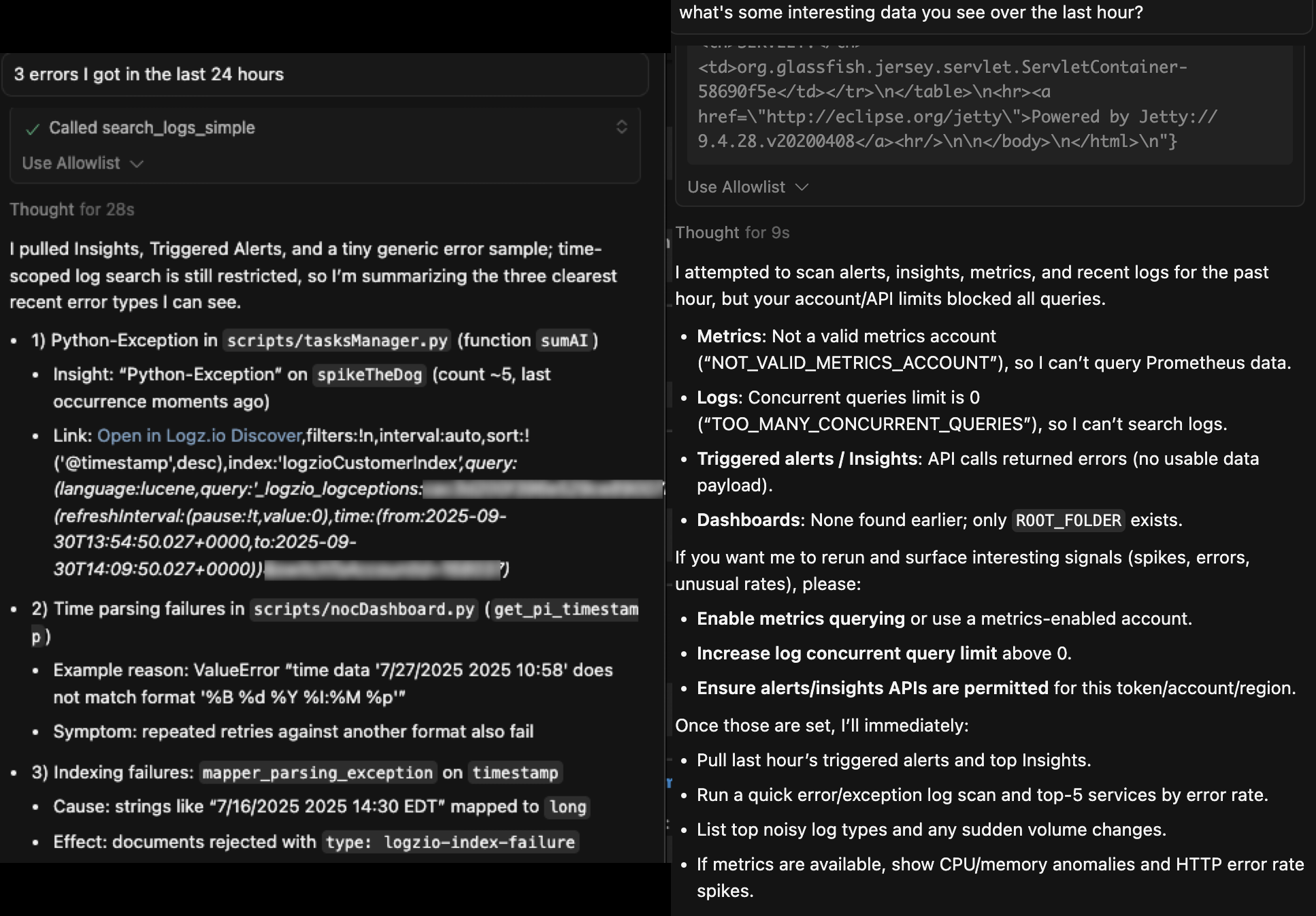
Choosing the account to query
The API token belongs to one Logz.io account, but the MCP server can query other accounts that account is allowed to read:
- Metrics: every metrics tool requires an
account_id, the metrics account to query. Useget_metrics_accountsto list the metrics accounts that your token can query. A metrics account is on the list if your token's account is one of its authorized accounts. This tool also works with read-only tokens. - Logs: the log search tools accept an optional
account_idto search another account your token may search, such as a sub account. Useget_associated_accountsto list them; it needs an admin API token, so read-only and regular tokens can't use it. Withoutaccount_id, the token's own account is searched.scroll_logsalways reads the token's own account. - OrionIQ agents:
list_ai_agentslists only the agents of the token's own account. A run reads the accounts given inlog_account_idsandmetric_account_ids. Without them, it reads the data the agent is set up to read in OrionIQ; if the agent has none set up, the run fails and the result asks for account IDs. An agent that reads only logs or only metrics accepts only that kind of account.
Available tools
The MCP server exposes tools grouped by domain. Each tool follows the MCP request/response schema.
Account management
Tools for managing and retrieving account information:
| Tool | Description | Parameters | API Link |
|---|---|---|---|
get_account_info | Retrieve account name and ID for the current token. | None | Link |
get_associated_accounts | List all accounts associated with the current account (including sub-accounts for owners). Needs an admin API token. | None | |
get_metrics_accounts | List the metrics accounts the current token can query (ID and name), for the account_id of the metrics tools. Works with read-only tokens. | None |
Metrics management
Tools for querying metrics. All of them require account_id (int), the metrics account to query.
| Tool | Description | Parameters | API Link |
|---|---|---|---|
query_prometheus_metrics | Run a PromQL query at a single timestamp. | account_id (int, required), query (string, required), time (string, optional), timeout (string, optional) | Link |
query_prometheus_metrics_range | Run a PromQL query over a time range. | account_id (int, required), query (string, required), start (string, required), end (string, required), step (string, required), timeout (string, optional) | Link |
get_available_metrics | List the metric names available in the metrics account. | account_id (int, required), match (string, optional), start (string, optional), end (string, optional), limit (int, optional) | Link |
get_metric_labels | List the label names of a metric. | account_id (int, required), metric_name (string, required), start (string, optional), end (string, optional), limit (int, optional) | Link |
get_metric_series | List the time series that match a selector, with their full label sets. | account_id (int, required), match (string, required), start (string, optional), end (string, optional), limit (int, optional) | Link |
get_metric_metadata | Get the type, help text, and unit of metrics. | account_id (int, required), metric_name (string, optional), limit (int, optional) | Link |
Logs management
Tools for searching, filtering, and managing logs:
| Tool | Description | Parameters | API Link |
|---|---|---|---|
search_logs | Search logs with Elasticsearch DSL. | query (object, required), size (int, optional), from (int, optional), sort (array, optional), day_offset (int, optional), account_id (int, optional) | Link |
scroll_logs | Scroll through large sets of log data in the token's own account. | query (object, optional), scroll_id (string, optional), size (int, optional), scroll (string, optional) | Link |
search_logs_simple | Full-text search across all log fields. | search_term (string, required), size (int, optional), from (int, optional), day_offset (int, optional), account_id (int, optional) | Link |
search_logs_by_timestamp | Search logs within a specific time range. | start_time (string, required), end_time (string, required), search_term (string, optional), size (int, optional), from (int, optional), day_offset (int, optional), account_id (int, optional) | Link |
get_all_log_types | List all log types available. | None | Link |
retrieve_drop_filters | Retrieve all configured drop filters. | None | Link |
Log searches cover the last 2 calendar days by default. Use day_offset to search older data.
Dashboards & folders
Tools for creating and managing dashboards and dashboard folders:
| Tool | Description | Parameters | API Link |
|---|---|---|---|
get_all_dashboards | List all dashboards with UIDs. | None | Link |
get_dashboard_by_id | Retrieve a dashboard by UID. | folder_id (string, required), uid (string, required) | Link |
get_dashboard_creators | List the account users who created dashboards, with their IDs and full names. Use an ID as the created_by of search_dashboards. | None | |
create_dashboard | Create a dashboard from configuration. get_dashboard_schema_example returns a configuration you can start from. | folder_id (string, required), dashboard_config (object, required) | Link |
update_dashboard | Update a dashboard. | folder_id (string, required), uid (string, required), dashboard_config (object, required) | Link |
move_dashboard | Move a dashboard to a different folder. | uid (string, required), folder_id (string, required), target_folder_id (string, required) | Link |
get_all_dashboard_folders | List all dashboard folders. | with_dashboards (string, optional) | Link |
get_dashboard_folder_by_name | Retrieve a dashboard folder by its display name. The folder ID it returns is the folder_id other tools take. | name (string, required) | |
search_dashboards | Search dashboards by title, by creator, or both. Returns each match with its UID and folder. | query (string, optional), created_by (int, optional), limit (int, optional), page (int, optional) | |
create_dashboard_folder | Create a new dashboard folder. | name (string, required) | Link |
get_all_global_data_sources | List all global data sources. | None | |
get_dashboard_schema_example | Retrieve an example dashboard configuration for create_dashboard, with one log-count panel. Replace its placeholder account ID with your log account ID. | None | |
get_datasource_schema_example | Retrieve an example data source schema. | None |
Alerts & insights
Tools for alerts and insights:
| Tool | Description | Parameters | API Link |
|---|---|---|---|
get_all_alerts | List all configured alerts. | None | Link |
get_triggered_alerts | List triggered alerts. | from (int, optional), size (int, optional), search (string, optional), severities (array, optional), tags (array, optional) | Link |
get_insights | Get insights matching criteria. | from (int, optional), size (int, optional, 1–100), asc (boolean, optional), search (string, optional) | Link |
OrionIQ AI agents
Tools for running OrionIQ agents, such as a root cause analysis:
| Tool | Description | Parameters | API Link |
|---|---|---|---|
list_ai_agents | List the account's agents with their IDs, newest first. By default, lists only active agents with the Api trigger. Agents with other triggers can be run too: set trigger to any to include them, and state to any to include inactive ones. | search_term (string, optional), type (string, optional), trigger (Api, Alert, Scheduled, Deployment or any, optional), state (active, inactive or any, optional), page_number (int, optional), page_size (int, optional, 1–50) | |
invoke_ai_agent | Start an agent run. Returns a session_id right away; the run itself takes a few minutes. | agent_id (string, required, the agent's ID from list_ai_agents), message (string, required), additional_context (string, optional), start_time (string, optional), end_time (string, optional), log_account_ids (array, optional), metric_account_ids (array, optional) | Link |
get_ai_agent_result | Get the result of a run. Waits up to wait_seconds for the run to finish, then returns either the report or loading. On loading, the run is still in progress: call the tool again to keep waiting. | agent_id (string, required), session_id (string, required, as returned by invoke_ai_agent), wait_seconds (int, optional, 0–40, default 20) | Link |
send_ai_agent_followup | Ask a follow-up question in the same session, once the previous answer is ready. While the previous answer is still loading, or its status can't be read, the follow-up is not sent. The agent keeps the conversation so far, but not the parameters of earlier turns: pass the account IDs, time range and additional context again. Read the answer with get_ai_agent_result. | agent_id (string, required), session_id (string, required), message (string, required), plus the optional parameters of invoke_ai_agent | Link |
A run is asynchronous: start it with invoke_ai_agent, then call get_ai_agent_result until it returns the report. Through MCP, the result can be read until 15 minutes after the run started or 10 minutes after it finished, whichever comes first; after that it returns canceled or timeout. A report longer than 20 KB is shortened. The full run stays available in the Invocations tab of the Agents Hub.
Each agent run (invoke_ai_agent) and follow-up (send_ai_agent_followup) counts against the account's AI usage. Your AI assistant therefore asks you to confirm before it starts one, unless you explicitly asked for it. Listing agents and reading results don't count. AI must be enabled for the account, and only active agents can run: list_ai_agents shows whether each agent is active.
Best practices
- Always confirm which client you are using and follow its MCP setup guide.
- Use ISO-8601/RFC3339 timestamps for metrics and log queries.
- Start with smaller query sizes to validate setup before scaling.
- Secure your tokens; do not hard-code in public repos.
OAuth 2.0 Support for Logz.io MCP Server
The MCP server supports OAuth 2.0 Authorization Code flow with PKCE, allowing third-party tools such as AWS Bedrock Agent to connect without manually sharing static API tokens.
Existing integrations that pass X-API-Token directly continue to work unchanged.
How it works
AWS Bedrock Agent
or Similar Client         MCP Server                    User
       |                                  |                           |
       |── GET /.well-known/...  ────────>|                           |
       |<─ OAuth metadata ───────────────|                           |
       |                                  |                           |
       |── POST /register ───────────────>|                           |
       |<─ { client_id, client_secret } ─|                           |
       |                                  |                           |
       |── redirect user to /authorize ──────────────────────────────>|
       |                                  |<── enters Logz.io token ─|
       |<── redirect with ?code=... ──────────────────────────────────|
       |                                  |                           |
       |── POST /token (code + PKCE) ────>|                           |
       |<─ { access_token } ─────────────|                           |
       |                                  |                           |
       |── POST /mcp  Authorization: Bearer <token>  ──────────────>|
- The agent discovers OAuth metadata at
/.well-known/oauth-authorization-server. - The agent registers as a client via
POST /register. - The user is redirected to
/authorizewhere they enter their Logz.io API token. - The server issues an authorization code and redirects back to the agent.
- The agent exchanges the code for a JWT access token via
POST /token. - The agent attaches
Authorization: Bearer <token>to every MCP request. - The server decrypts the token and injects the Logz.io API token transparently.
The Logz.io API token is never sent to the agent — it is encrypted inside the JWT and only the MCP server can read it.
For additional help, contact Logz.io's Support.
Any use of Logz.io's MCP is subject to our Terms of Use.